If your product exists as a CAD model, you already have the hardest part of a photoreal marketing campaign. CAD to CGI turns the engineering files your team used to design the product into renders and animations that look like photographs, often weeks before the first unit comes off the line. Here is how the process works, step by step.
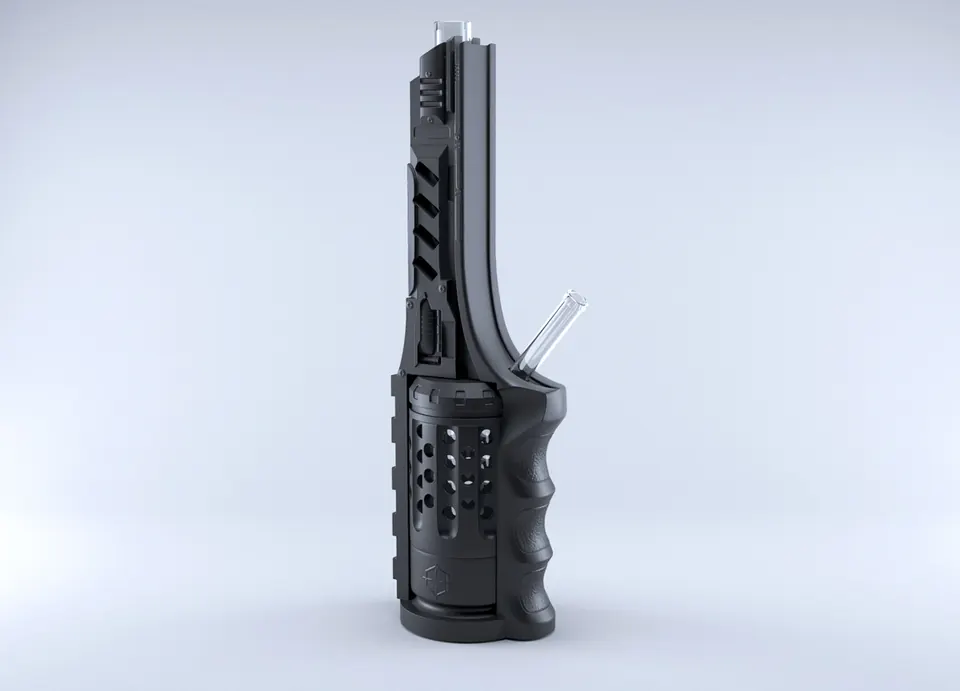
Why start from CAD?
- Accuracy. Every dimension, fillet and screw hole is exactly as designed, so there is no guesswork from photos.
- Speed. No modeling from scratch, so work can start as soon as files arrive.
- Things a camera can’t show. Internal parts, exploded views and assembly sequences come straight from the assembly tree.
- Future-proof. When engineering updates a part, the marketing visuals can be updated from the new revision.
The CAD to CGI pipeline in 6 steps
1. File intake and NDA
We receive the files under NDA when needed. We only need the outer surfaces and visible parts, so internal electronics or confidential components can be suppressed before export.
2. Conversion and clean-up
CAD is made of precise mathematical surfaces (NURBS). Renderers need polygon meshes. We convert at the right density: smooth enough for close-ups, light enough to animate. Then we fix the usual issues, such as flipped normals, gaps between patches, duplicate bodies and tiny parts that will never be seen.
3. Materials (look-development)
CAD rarely carries real appearance data. We build physically based materials, including textured plastics, brushed and anodised metals, glass, rubber, fabric and printed labels, and match them to your colour references and physical samples. This step decides whether a render looks real.
4. Lighting and camera
Studio lighting for e-commerce, dramatic lighting for launch films, or a lifestyle environment. Cameras are set to real-world focal lengths so the product reads as photographed, not “3D”.
5. Render and review
We send preview renders first. Once the look is approved, we render the finals at full resolution, as stills, 360° spins or animation frames.
6. Delivery and reuse
You receive web-ready and print-ready files. On request you can also get the cleaned 3D model in a real-time format (GLB/USDZ) for 3D viewers and AR on your website.
What files to send
| Format | Works? | Notes |
|---|---|---|
| STEP (.step / .stp) | Best | Universal and keeps assemblies. Our first choice. |
| SolidWorks (.sldprt / .sldasm) | Yes | Send a Pack-and-Go so referenced parts are included. |
| Fusion 360, Inventor, Creo, Rhino | Yes | Export to STEP if possible. |
| IGES | Yes | Older and surface-based. Works, but needs more clean-up. |
| STL / OBJ | Partly | Already meshed, often too coarse for close-ups. |
| PDF drawings / photos only | Yes | We model from scratch. This adds time and cost. |
Common pitfalls (and how to avoid them)
- Sending only the parent assembly file. The parts it references go missing. Use STEP or Pack-and-Go.
- No colour references. “Dark grey” can mean many things, so send Pantone or RAL codes or a photo of the sample next to a white card.
- Missing labels and printed graphics. Send the artwork as vector files (AI, PDF or SVG) so text stays razor-sharp.
- Last-minute engineering changes. Tell us early. Small changes are easy before final rendering and costly after.
Timeline and cost
Using CAD, a first photoreal render is typically ready within 3–5 working days. A full still set takes about a week, and a feature animation 5–10 days from an approved storyboard. Preparing a CAD model for rendering typically costs $150–$600 per product, depending on the number of parts and materials. See our pricing and the guide to 3D product animation cost.
Built by people who read CAD
Broad Wave Creations combines a CAD and engineering background, including formal SolidWorks training, with cinematic product rendering. We work in SolidWorks, Blender, 3ds Max, Cinema 4D and Maya. Our modeling and CAD work is on the 3D product modeling page, and finished renders are on our photorealistic rendering page. To start, send us a STEP file and a one-paragraph brief.
FAQ
Can you render directly from SolidWorks files?
Yes. Send a Pack-and-Go or a STEP export so every referenced part is included.
Is my CAD data safe?
We sign NDAs on request, and you can remove confidential internal parts before sending. We only need the visible surfaces.
Can the same model be used for AR or a 3D viewer?
Yes. We can export an optimised GLB/USDZ for web 3D viewers and phone AR.
